


# [Unraid](https://unraid.net/) * [Unraid server](http://10.0.0.101/Dashboard) * [Dell Precision Tower 3420](https://www.dell.com/support/home/en-nz/product-support/servicetag/0-QVZYQ1JLVjNmdnBQYnRucWN2elR4dz090/overview) Service Tag: 9N872K2 # Photo Prism [Starting the server](https://docs.photo


Android Lineage
## Adb / Fastboot [Lineage install instructions](https://wiki.lineageos.org/devices/land/install) > Note Fastboot does not like usb 3 ports always use usb 2.0 or even better a usb 2.0 hub ```bash fastboot flash recovery twrp.img # Display anti rollback (arb) version fastboot getvar all ``` ##

Career in IT
# Learning * [Freecodecamp](https://www.freecodecamp.org/) - Free * [Github](https://github.com) * [Microsoft learn C#](https://dotnet.microsoft.com/en-us/learn/csharp) - Free * [Code Academy](https://www.codecademy.com) training courses - Free / Paid * [Code.org](https://code.org/learn) - Free / P

Security Cameras Recommendations
Recommendations: * ONVIF * 1080P Manufacturers * Reolink * SV3C [Amazon](https://www.amazon.com/SV3C-Megapixels-2592x1944-Waterproof-Detection/dp/B07RWRY39V/ref=sr_1_1_sspa?crid=2PC2CZ03DVFQ1&keywords=sv3c&qid=1667679187&sprefix=sv3%2Caps%2C283&sr=8-1-spons&ufe=app_do%3Aamzn1.fos.f5122f16-c3e8-4

IoT Lights
## Xiaomi * Mi Smart LED Bulb (Warm White) - 810lm 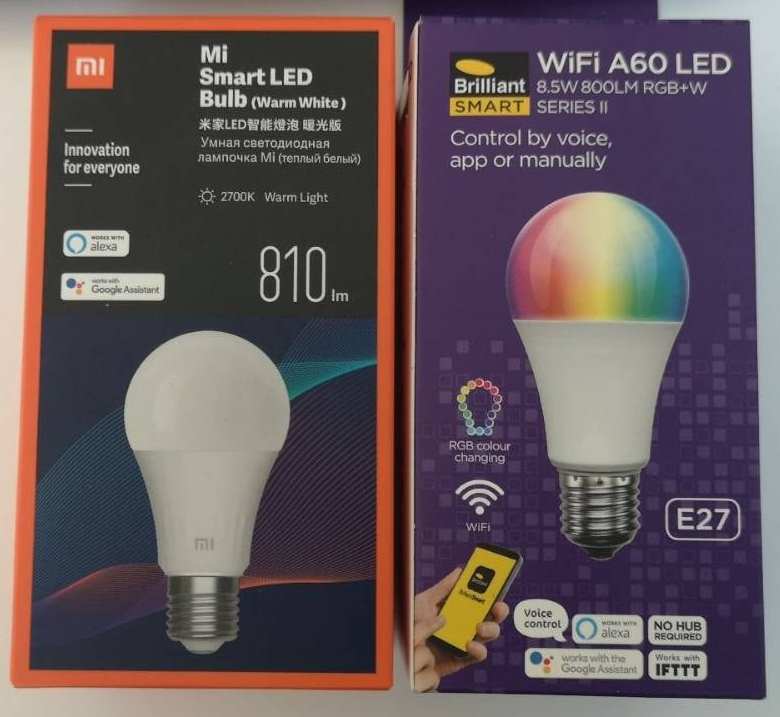 ## Tuya Lights All can be setup and controlled using the 'Smart Life App' * Brilliant Smart - WiFI RGB+W A60 E27 Series 2 8.5W - Use the 'Smart Life App' instead of the Brilliant Smart app which is

Dexcom Tips and Tricks
# G5 ## Reset G5 transmitter using Xdrip 1. From the xDrip home screen press the Treatment button [Syringe icon] 2. Long press the Microphone icon 3. Type the command 'enable engineering mode' 4. Repeat steps 1 and 2 and now type 'hard reset transmitter' 5. Wait for upto 1 hour ## Replacing G5 ba

Orcon NF18ACV Voip with USG
These are instructions for using a USG with an ISP's existing router with VOIP. 1. Configure the USG to a differing ip and subnet eg 10.0.0.1 - 10.0.0.0/24 than your ISP routers usually 192.168.0.1. [More info](https://community.ui.com/questions/How-to-add-a-usg-behind-an-isps-modem-without-bridgin

Virtual Box Mac OSX
[MacOS in Virtualbox](https://www.soupbowl.io/2020/04/macos-in-virtualbox/) [Youtube video](https://www.youtube.com/watch?v=32ZLGl32j6U&t=433s) ## Instructions Run install.nsh ## Settings ```cmd VBoxManage modifyvm "Mac OSX" --cpuidset 00000001 000106e5 00100800 0098e3fd bfebfbff VBoxManage modi